I ran an Etsy sticker and vinyl shop for six years before craft classes took over my weekends, and in that time I cut through more rolls of HTV than I want to total up. I still keep a notebook of blade types and pressure settings, because most "machine problems" I get asked about in class turn out to be blade problems. So when someone asks me to settle Cricut Maker 5 vs vinyl cutter, I don't give the answer the packaging wants. I give the answer the math wants.
Related: Cricut Mats: When to Clean, When to Replace
Here is the short version: if you cut stickers, labels, and cardstock, a small dedicated cutter does the job for a fraction of the flagship price. If you sell apparel, cut full sheets, and want the tutorial ecosystem that will actually teach you, the Maker 5 bundle is the machine you grow into. Everything else in this comparison is about the two hidden costs nobody mentions at checkout: consumables and software.
The four items in this comparison, side by side
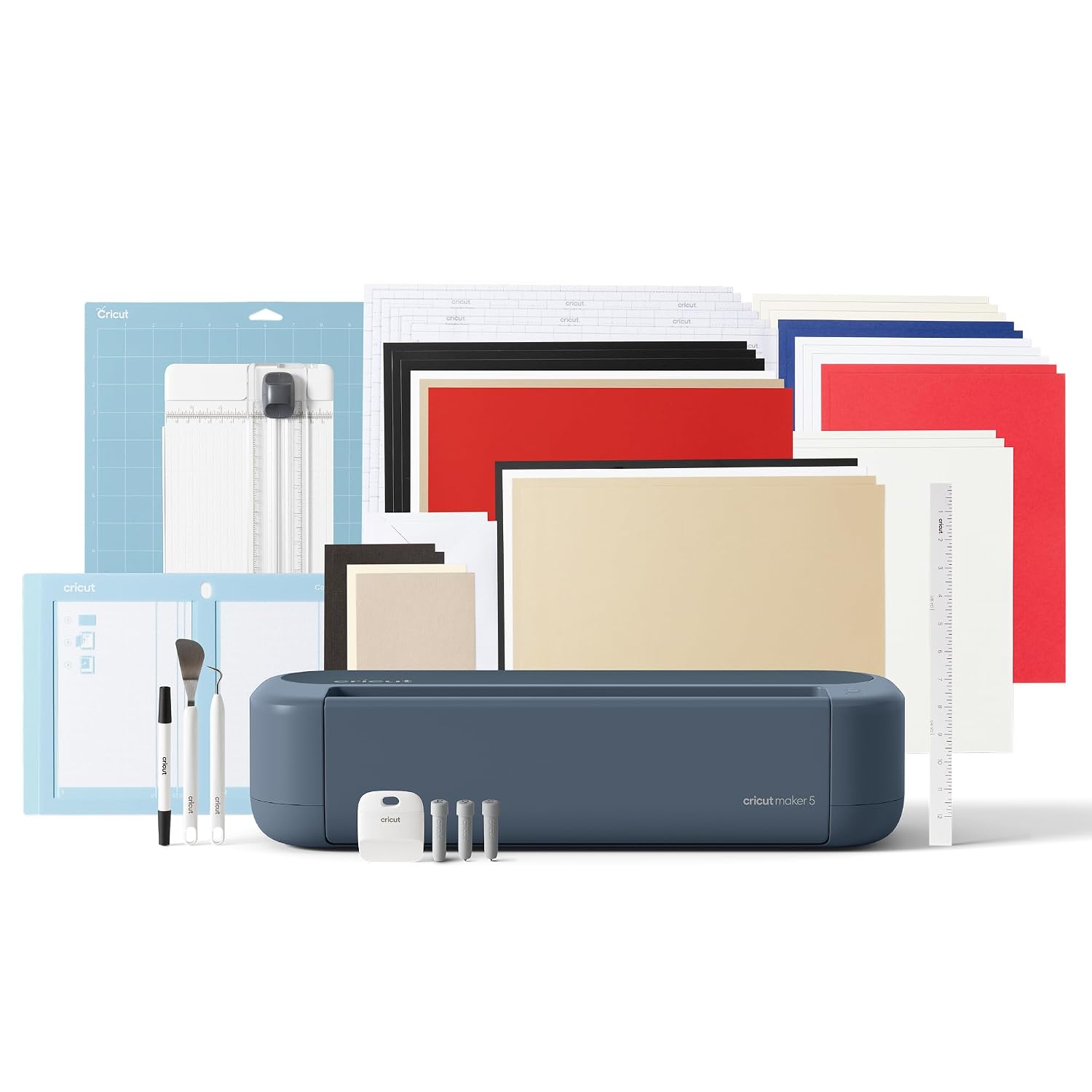
Cricut Maker 5 Essential Bundle + Digital Content, Slate Blue
The machine most Cricut tutorials assume you own, with accessories and digital content folded into one purchase
Highest entry price here, and the digital content lives inside an account you do not own
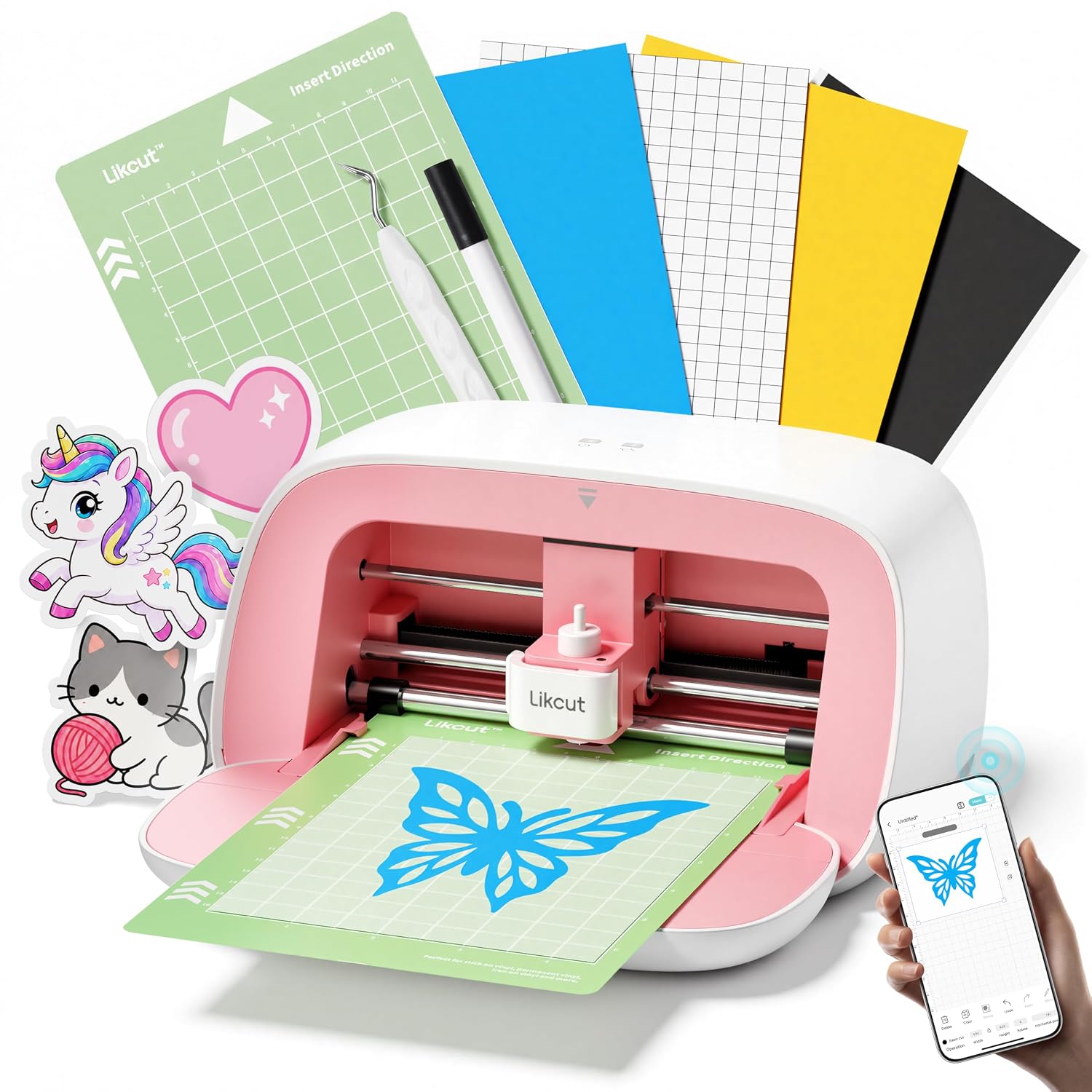
Likcut S501 Vinyl Cutter Machine, 4.5" Sticker & Cardstock Cutting, Pink
Sticker and cardstock cutting in a small footprint, and it does not route you through Cricut's software at all
A 4.5 inch cutting width rules out full sheet HTV and large decals, and the tutorial library is thin
Cricut Printable Iron-On for Dark Fabrics, 10 sheets (8.5" x 11")
Turns an inkjet printer into a print and cut setup for dark shirts, and it works with Joy Xtra, Explore, and Maker machines
Dark fabrics only, the per sheet cost adds up fast, and it is useless without a working inkjet
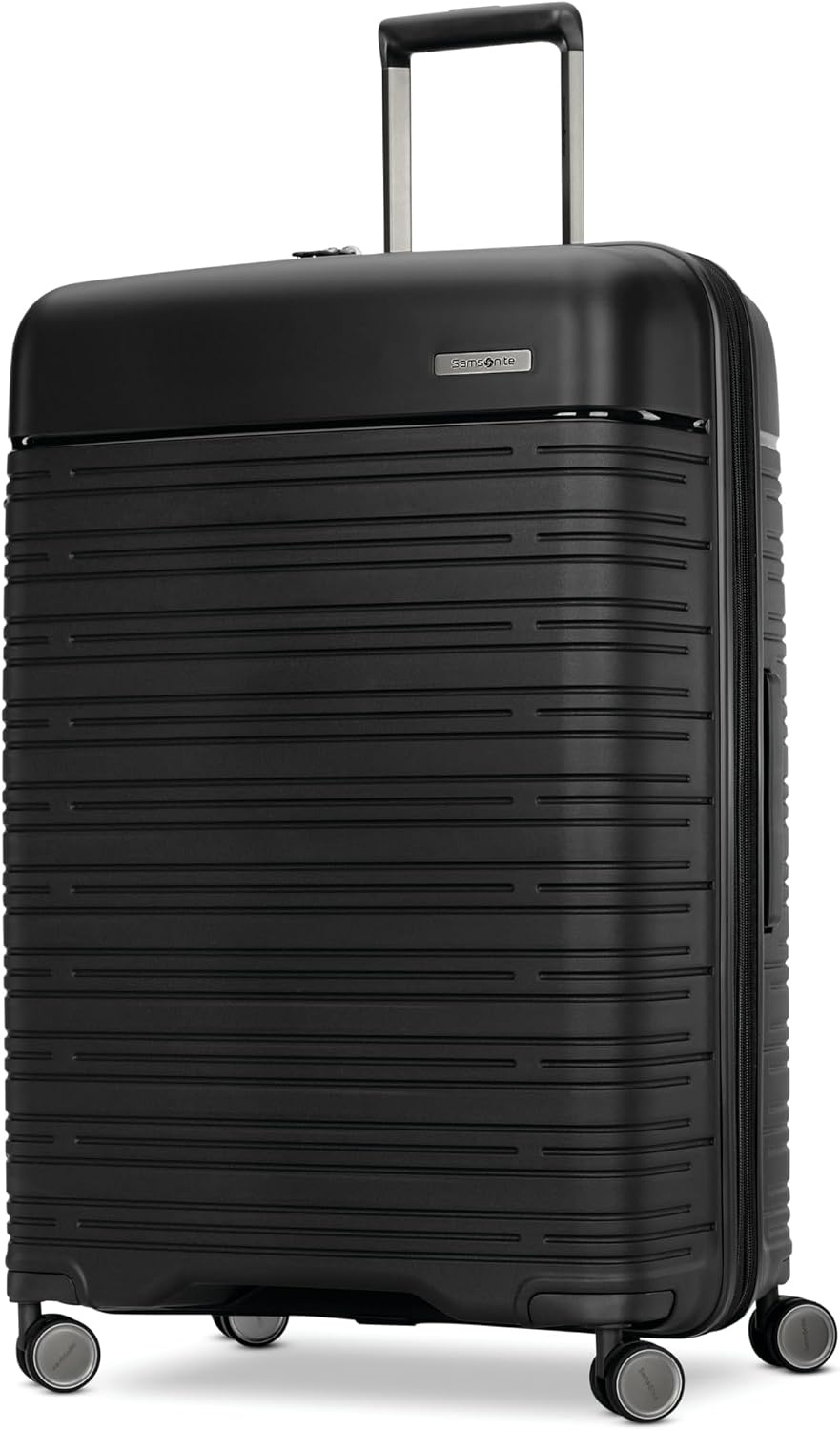
Samsonite Elevation Plus, Large Hardside Luggage, Triple Black
Hardside shell, TSA lock, AirTag holder, adjustable handle, and a WetPak compartment make it a serious craft fair travel case
It cuts nothing. Only buy it if you vend in person and your current bag is a duffel
Prices and availability were captured from Amazon Creators API and may change.
What the Maker 5 bundle is actually selling
The Maker line is genuinely good hardware. I have run a Maker 3 for years and I will say that plainly, because I get accused of being anti-Cricut every time I criticize the software. The extra tools are not marketing fluff. They are for people who know exactly what they need them for. If you do not know why you need a rotary blade or a knife blade, you are paying for hardware you will not use in your first year.
What a bundle changes is the price ladder. Cricut sells the machine once and the subscription forever. The machine is the bait, Design Space is the hook, and "digital content" is the part of a bundle that lives inside an account rather than on your shelf. That is not a reason to avoid it. It is a reason to know it going in. If you plan to sell, the paid tier and the file library can be a legitimate business expense. If you cut 50 stickers a year, it is a subscription you should never open.
The honest pitch for the bundle is convenience. Everything arrives at once, the accessories match the machine, and you skip three separate orders. The honest criticism is that Cricut brand accessories are priced for convenience too, and mats, blades, and vinyl are all better bought elsewhere once you know what you like.
Cricut Maker 5 Essential Bundle + Digital Content, Slate Blue. Check current Amazon price
Where a small cutter like the Likcut S501 wins
The Likcut S501 is a 4.5 inch cutter built around stickers and cardstock, and the pink shell is the least interesting thing about it. The interesting thing is the width. For a huge share of hobby projects, 4.5 inches is plenty. Stickers, labels, planner inserts, small decals, card fronts, and class demo pieces all fit inside that window, and a small machine takes up less desk than a mat does.
The trade-offs are real and you should hear them before the wins convince you. Full 8.5 by 11 sheets of HTV do not fit. Neither do large wall decals, layered apparel designs, or anything that needs a 12 inch mat. If your idea of a good Saturday is a three color shirt for your kid, this is not that machine.
The other trade-off is the ecosystem. Cricut's tutorial library is the moat, and I say that as someone who rolls her eyes at the accessory prices. When a project goes wrong at 9 p.m., the fix is usually a search away for Cricut owners. With a smaller brand you are reading the manual and thinking for yourself. Some people prefer that. Plenty of people quit over it.
Where a cutter like this genuinely wins is the absence of pop-ups. No subscription nags mid-project, no cloud dependency, no update that rearranges your canvas the night before a market. If the software side of Cricut is what exhausts you, a small standalone cutter is a legitimate exit.
Likcut S501 Vinyl Cutter Machine, 4.5" Sticker & Cardstock Cutting, Pink. Check current Amazon price
The consumable that decides whether print and cut is worth it
Cricut Printable Iron-On for Dark Fabrics is the sleeper item in this comparison. It is 10 sheets at 8.5 by 11 inches, it works with inkjet printers, and it is listed for the Joy Xtra, Explore, and Maker machines. The workflow is simple: print your design on the sheet, then let the machine cut around it. You get full color graphics on a dark shirt without layering four colors of HTV and hoping the registration holds.
Two things decide whether it is worth your money. First, you need a working inkjet printer with ink in it, which is a bigger ask than it sounds in a house where the printer has been idle since tax season. Second, dark fabrics only. This is not a general purpose iron-on, and buying it for a white shirt is a mistake.
The cost per sheet matters more than the sticker price, because print and cut eats material fast. Every test print, every misaligned cut, every "that looked better on screen" is a sheet. My advice is to keep a cheap light fabric iron-on or scrap material for test cuts and save the printable sheets for the run you intend to sell or gift. Small batches, personalized gifts, and class samples are where this product earns its keep. A 40 shirt order is where it stops making sense and layered HTV starts winning.
Cricut Printable Iron-On for Dark Fabrics, 10 sheets (8.5" x 11"). Check current Amazon price
Why luggage is in a cutter comparison
Because half the people who ask me about machines are not hobbyists. They are vendors. They pack a car at 5 a.m., set up a table at a farmers market, sell for six hours, and pack it all back up in the rain. That life has a gear problem that no cutting machine solves.
The Samsonite Elevation Plus is a large hardside case with a scratch resistant polypropylene shell, a RightHeight adjustable handle, an integrated AirTag holder, a TSA lock, and a WetPak compartment. For a craft fair seller, the useful parts are the hard shell, which protects a folded canopy and display stands better than fabric, the AirTag holder, because a bag full of inventory is a bag you do not want to lose, and the WetPak compartment for anything that comes back damp.
The trade-off is obvious and I will not pretend otherwise. It does not cut anything. If you sell online only and your machine never leaves the desk, this is a product you skip, and skipping it is the correct call. If you vend in person three or more times a month, a proper case is cheaper than replacing a cracked display stand and a ruined batch of inventory.
Samsonite Elevation Plus, Large Hardside Luggage, Triple Black. Check current Amazon price
Cost per cut, and the subscription question
Every machine decision comes down to cost per cut once the excitement fades. That number is the machine, divided by its useful life, plus materials, plus blades, plus mats, plus software. Most beginners budget for the first two and get ambushed by the last three.
Blades dull faster than the packaging admits. Premium labeling is not premium steel, and a dull blade is the root cause of most complaints about a machine that "stopped cutting cleanly." Mats are a consumable and a money pit. They lose stickiness after a handful of cuts, and I buy third party mats and have not noticed a difference worth paying for.
Then there is the subscription. If your work is hobby scale, the free tier of Design Space is enough and the paid tier is a monthly bill for files you could buy once. If you sell, treat it like any other business expense and track it, because subscriptions are the easiest cost to stop noticing. My rule for students: do not subscribe until a specific project is blocked without it. That one habit saves more money than any accessory sale ever will.
Who should buy which
If you cut 50 stickers a year and want to stop there, buy the cheapest machine that handles the size you need and never open the paid tier. That points at a small cutter like the Likcut S501, and you will be happy with it until you want a 12 inch sheet.
If you sell apparel or plan to, the Maker 5 bundle is the machine the tutorials assume, and the bundle saves you three separate orders. Just go in knowing the subscription is the real product and the accessories are priced for convenience.
If you want full color graphics on dark shirts and you already own an inkjet and a Cricut machine, the printable iron-on sheets are the cheapest way to test whether print and cut fits your workflow. Buy one pack before you commit to a design line built on it.
And if you vend in person, buy the luggage. Nobody ever regrets a hard case at a rainy market.
The last thing I tell every student
The machine is the smallest part of the decision. Materials, blades, mats, and software are where the money actually goes, and the people who stay happy in this hobby are the ones who bought less hardware than they wanted and more material than they thought they needed. Pick the cutting width that matches your real projects, buy the machine that fits it, and keep a test sheet next to the mat. That habit is worth more than any upgrade.